

Using VR in the classroom isn’t always easy. But how can you use those headsets your school lets you “check out” and use? What are practical ways to teach with these tools? And how can you design amazing uses of the VR headset that fit with what you’re trying to teach? We’ll learn about all of this and more in today’s show.
Also, in this post, we’ll be sharing lots of free VR resources from Meghan and other resources for use in your classroom even if you do not have a headset for your students. You can do some of these on a Chromebook! I’d encourage you to have one or two VR experiences this school year (and who knows, if you love it, it might even be more). Take a field trip into VR!
“When you’re looking at designing the virtual reality experience for a student, the wow needs to be secondary to the why.”
Meghan Freeman
Co-Founder and Co-CEO, Illuminate XR
Table of contents
Listen to the Show
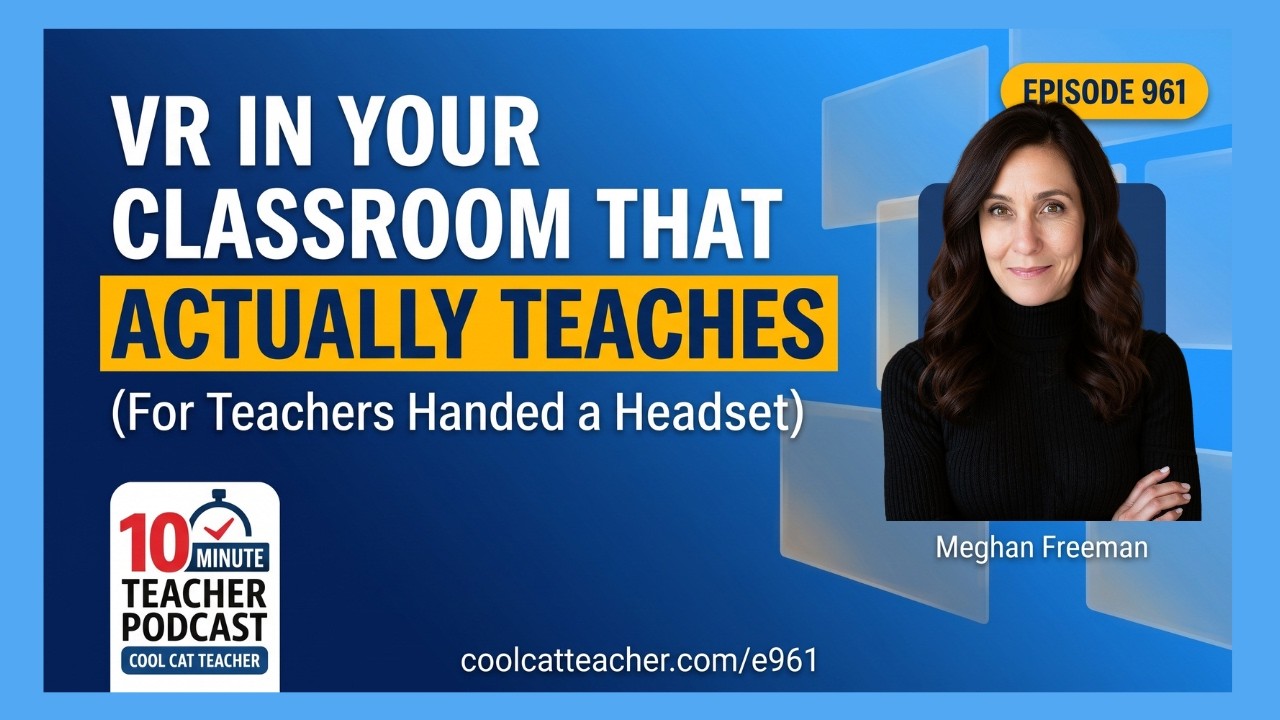
Watch on YouTube and subscribe for new episodes every week.
Key Takeaways for Teachers from Meghan Freeman

- The wow has to be secondary to the why. A headset guarantees you a student’s full attention for a few minutes — the question is whether you planned what to do with it, or just hoped the technology would be enough.
- Before you book the equipment, finish this sentence: what can my students do in VR that they can’t do in my room? Chemicals you can’t safely handle. A dissection a student is allowed to opt out of. A seat in the Oval Office. If you can’t finish the sentence, the headsets can wait.
- Fifteen minutes for the first session. Twenty-five to thirty minutes, maximum, ever. Meghan gets carsick, and she was surprised how much the headset affected her equilibrium. Because she is sensitive to this, she designs in short sprints and stops well before anyone’s stomach turns.
- Classroom management in VR is still classroom management. Spatial audio so students only hear the person beside them, the ability to seat students where you want them, mute, and locking down the web browser. As she puts it, your smartest kiddos will find the loopholes in your system.
- She gave her staff a full year to play before a single student put on a headset. Forty-six devices, a year of teachers arguing about what worked, and the policy came out of what they found — not out of a binder someone wrote in advance.
Try This Tomorrow
Remember, you don’t need a headset to start. I’ve given you some free 360 tours below. Use American Revolution 360 or a Space Station 360. Bring them up on the board or on your Chromebooks. Have a “scavenger hunt” and put students in groups to think-pair-share as you ask questions like “How do the astronauts eat?” or “Describe how the soldiers camped at the battle.” Find questions they can answer by looking at the space. Look below — I’ve given you lots of ideas for your classroom!
Resources Mentioned in This Episode
These are the tools Meghan named on the show:
- Illuminate XR — Meghan’s company. Immersive learning experiences plus IXR Nexus, a platform built to make student reasoning visible, and a VR algebra experience called For All Time.
- ENGAGE XR — the VR platform Illuminate XR builds on. Meghan chose it for security: no metrics collection or profiling on students, plus strong teacher controls for seating, muting, and locking down browsers.
- Meta Quest — the headset Meghan uses. She’s quick to say there are many good options at many budgets.
- BRINK Traveler — the app she names for taking students to real places they’ve never been, built from photogrammetry of actual locations.
- Curio XR — not named on the show, but worth your time: free XR sessions for schools from VR in Schools, a 501(c)(3) nonprofit, built with university partners and running on hand tracking so students don’t have to learn controllers first.
Meghan also mentions Windows Mixed Reality headsets, which Vicki used years ago — Microsoft has since discontinued that line. And the “walk the plank” experience she describes at the top of the show is a well-known VR demo, but she doesn’t name the specific app.
About Meghan Freeman

Meghan describes her background this way:
Meghan Freeman M.Ed. is an education leader, visionary strategist, and Co-CEO of an innovative immersive learning company. As the founder and previous CEO of Elite Academic Academy, Meghan built a school from the ground up, growing it into a California Distinguished School with statewide honors for academic performance, growth, and innovation. Under her leadership, the school defied the odds of post-pandemic learning loss and redefined what success can look like for students, families, and educators.
Now, as the Co-Founder and Co-CEO of a cutting-edge immersive learning company Illuminate XR, Meghan is shaping the future of education through extended reality (XR), AI, and neuroscience-backed design. Her work centers on empowering learners with the human skills, technological fluency, and emotional intelligence needed to thrive in an unpredictable world. She believes the best learning happens at the intersection of innovation and connection.
Known for her hands-on leadership and relentless pursuit of results, Meghan has led teams through rapid growth, disruptive change, and mission driven expansion all while staying rooted in empathy, excellence, and equity. Whether mentoring educators, designing frameworks, or launching new ventures, she leads with purpose, heart, and vision.
The descriptions of her school’s recognition and results above are Meghan’s own account and have not been independently verified.
Connect with Meghan: meghankfreeman.com · LinkedIn · Illuminate XR
Free VR and 360° Resources for Teachers and Administrators
Here’s the honest truth about classroom VR: most teachers don’t have headsets, and the ones who do usually have a cart of six for a building of forty teachers. So this list starts where almost everybody actually is — a laptop, a Chromebook, a projector, and a class that would love to go somewhere today.
Free VR and 360° experiences that need no headset
Every one of these runs in a browser. Put it on the projector, hand a student the mouse, and go.
- Museum of the American Revolution Virtual Tour — a 360° panoramic walkthrough of the whole museum. A genuinely good starting point for social studies, and it costs you nothing but the click.
- XR Guide — WebXR directory — use the search box at the top. This is a directory of experiences that run right in the browser, no headset and no app store required. It’s the fastest way to find something in your subject.
- NASA at Home: Virtual Tours and Apps — NASA’s hub for virtual tours and apps, free like everything else NASA makes.
- NASA Commercial Crew Program VR Tours — my pick of the NASA collection, with versions built for grades 5–8 and grades 9–12. Here’s what makes these different from most free VR: every tour comes with PDFs carrying NGSS standards, math standards, and actual lesson plans. Here’s one from the Preparing to Launch America guide: Build and Launch a Foam Rocket, a 60-minute activity for grades 2–8 that carries NGSS standards K-PS2-1, 3-PS2-2, and MS-ETS1-1, -3, and -4, and walks students through the full engineering design process. That’s a VR experience with the planning already done for you.
- European Space Agency: International Space Station Panoramic Tour — a 360° walkthrough of the ISS. Pair it with the NASA tours and let students compare what they see.
- BBC Learning Hub Virtual Field Trips — a searchable collection of virtual field trips. The Walking with Dinosaurs Virtual Field Trip comes with a teacher guide and a printable paleontologist field journal so students have something in their hands while they explore.
- Google Arts & Culture — a deep repository of museums and field trips. If you don’t have headsets and want your students to experience some trips, go to the homepage, pick your subject, and explore what they have to offer.
- Smithsonian National Museum of Natural History Virtual Tour — room by room through the whole museum, including exhibits that have since closed.
- 360Cities Video Gallery — 360° video from locations all over the world. Good for geography, world languages, and “show me where this story takes place.”
- National Geographic on YouTube — and here’s a trick worth teaching your students: look for the 360 icon on YouTube. Once you know to look for it, there’s a whole layer of the platform you’ve been scrolling past.
- Ancient Rome: The Colosseum — a free experience that takes students inside the Colosseum. A favorite of mine for world history.
- Boeing FUTURE U Virtual Field Trips — 30-minute virtual field trips built with Discovery Education, with downloadable educator guides. Strong for CTE and career exploration.
- Discovery Education Virtual Field Trips — a long-running free collection across subjects.
- Nearpod Virtual Field Trips — if your school already pays for Nearpod, check here before you go looking elsewhere. A large library of VR field trips is built right in, and their blog keeps a running top-10 list and subject-specific guides. You may already own the tool you were about to go shopping for.
Free apps once your school has headsets
- Curio XR — free XR sessions for schools from a nonprofit, running on Meta Quest with hand tracking instead of controllers. Molecule building, virtual anatomy, historical simulations.
- Free travel and exploration apps on the Meta Quest store — a browsable collection of free VR travel and exploration titles. This is where I’d send a teacher who just got a headset cart and doesn’t know what to put on it.
- Anne Frank House VR — walk through the Secret Annex, with Anne’s own words as you move through the rooms. The Anne Frank House makes it free of charge in seven languages, and it runs on Quest, Rift, Gear VR, Steam, and PICO. This is exactly the kind of experience Meghan means when she talks about empathy as the why — and it’s one to preview yourself and think carefully about before you hand it to a class.
One caution before you download anything. Test every experience yourself first, and follow your school’s policies on apps, accounts, and student data. Meghan chose her platform specifically because it doesn’t profile students — that question is worth asking of anything you put on a child’s face.
Free tools where students build, not just visit
- Delightex Edu (formerly CoSpaces Edu) — the free BASIC plan lets students build 3D environments, 360° tours, interactive stories, games, and simulations, and code them with block coding or TypeScript. Scenes can be viewed in VR from a smartphone. This is the one I’d start with if you want students creating. If you followed my ISTE 2026 coverage, this is the tool Jaime Donally was demoing.
- Tinkercad — free 3D design, electronics, and coding in the browser. Students model something, then bring it into a 3D or AR view. A good on-ramp before anyone touches a headset.
- XR Guide again — worth a second mention here, because browsing what other people have built is how most students figure out what they want to make.
And if you want the fuller conversation about student creation, two shows from the archive are still the best I’ve done on it — Sean Wybrant’s students building VR projects, and Robert Kalman’s five design tools. Both are linked below.
More VR and AR Shows from Cool Cat Teacher
I’ve been covering this topic since 2017. Here’s the archive, newest first:
- ISTE 2026 Day 2 (June 30, 2026) — my own coverage of the newest immersive tools, including Jaime Donally’s demos of Delightex, Merge EDU, VirtualSpeech, and Meta Display glasses.
- ISTE 2025 Supershare: AI Hacks, VR Magic & Microsoft Reveals (June 26, 2025) — Jaime Donally, Dr. Rachelle Dené Poth, and Mike Tholfsen in one show.
- 12 AR Apps and Tips for Awesome Classrooms with Jaime Donally (Episode 799, March 28, 2023) — twelve specific apps, with the classroom tips to go with them.
- AI in VR and AR with Rachelle Dené Poth (Episode 812, August 19, 2023) — the closest companion to today’s show. AI inside immersive environments, which is exactly the intersection Meghan’s company works in.
- Virtual Museum Tours: Ready to Take Kids on a Field Trip? (April 4, 2022) — more free virtual field trips, if this post left you wanting.
- How Kids Can Design in AR and VR with Robert Kalman: 5 Tools to Use (Episode 638, March 4, 2020) — student creation, tool by tool.
- The Oculus Quest: Why It Is a Game Changer (August 26, 2019) — Jaime Donally on why standalone headsets changed classroom VR.
- How to Create in AR and VR (February 19, 2019) — Jaime Donally on making, not just consuming.
- How to Use Augmented Reality in Language and Literature Classes (Episode 452, March 4, 2019) — TW Williamson, from an international school in Taiwan.
- VR & AR in the Classroom (February 18, 2019) — Hall Davidson on definitions, tools, and which one matters more to teachers.
- Valuable Virtual Reality Things Every Teacher Should Know (Episode 432, February 4, 2019) — Steven Sato on VR and empathy.
- Virtual Reality Protocols for the Classroom (January 8, 2019) — Jaime Donally. If today’s episode made you nervous about management and safety, start here.
- Webinar: Teaching with Augmented Reality with #ARVRinEDU Classroom Enthusiasts (December 13, 2018) — Jaime Donally and Rachelle Dené Poth together.
- 5 Ways to Use Augmented Reality in the Classroom (Episode 395, November 29, 2018) — Lindsay Fell, elementary art.
- Remarkable Teaching: Student Created Virtual Reality Projects (Episode 358, September 12, 2018) — Sean Wybrant, 2017 Colorado Teacher of the Year.
- AR, VR, and MR for All Classrooms (Episode 342, August 21, 2018) — Jaime Donally’s foundational explainer. Still the clearest one out there.
- Bringing Literature to Life in Open Sim (Episode 293, April 18, 2018) — Mary Howard’s sixth graders building the Anne Frank house.
- Merge Cube Mania in Middle School (Episode 288, April 11, 2018) — Karen Bosch on the cheapest AR hardware in schools.
- Virtual Reality as a New Educational Paradigm in the Classroom (Episode 204, December 7, 2017) — Enrique Cachafeiro on cost and seated-VR safety.
- Simple Virtual Reality with Google Streetview and Google Cardboard (Episode 127, August 15, 2017) — Donnie Piercey’s fifth graders shot 360° imagery of their own town.
- Augmented Reality and Virtual Reality in the Classroom (Episode 29, March 9, 2017) — Steven Anderson, where this all started for me.
Books on AR and VR in the classroom
Jaime Donally, who has taught more teachers about this than anyone I know:
- Learning Transported: Augmented, Virtual and Mixed Reality for All Classrooms — the one to read first.
- The Immersive Classroom: Create Customized Learning Experiences with AR/VR — for when you’re ready to design your own.
- Immerse Yourself: Create Engaging AR/VR Experiences for All Learners — a short jump-start guide.
Books on AI and emerging tech in the classroom
Dr. Rachelle Dené Poth, who has been using AR and VR in her Spanish classroom for years:
- How to Teach AI: Weaving Strategies and Activities into Any Content Area
- Chart a New Course: A Guide to Teaching Essential Skills for Tomorrow’s World
Follow #ARVRinEDU
If you take one more thing from this post, take the hashtag. #ARVRinEDU is where the AR and VR education community shares what’s actually working in real classrooms. It was started by Jaime Donally, who has been the steady, practical voice in this space for a decade — and she’s still at it, as anyone who followed my ISTE 2026 coverage knows.
Follow the hashtag wherever you already spend your time:
- X/Twitter — #ARVRinEDU and @JaimeDonally
- LinkedIn — the #ARVRinEDU feed
- Instagram — #arvrinedu
- Her site — arvrinedu.com, a genuine library of ideas
- YouTube — Jaime Donally’s channel
Watch for #31DaysofARVRinEDU, her daily quick-tips series. It’s a month of small, usable ideas — exactly the kind of thing that makes a hashtag worth following.
Listen and Subscribe
Pick one experience from this list and put it on the calendar for this month — that’s the whole assignment.
Episode Transcript
This transcript was generated using AI and has been reviewed by humans for accuracy. Minor errors or artifacts may remain but I worked my best to find any issues with the transcript as I reviewed the show. – Vicki
Click to read the full transcript
Vicki Davis: How to make VR actually work in your classroom. Episode 961 is a Tech Tool Tuesday. Our guest says the wow has to be secondary to the why. Here’s three tips. One, before you book a headset, finish this sentence: what can my students do in VR that they can’t do in my room? No sentence, no headsets. Two, count the first session at 15 minutes. And three, make that first trip a scavenger hunt. Let them find the loopholes and debrief when you’re done about how to make it better.
Announcer: This is the 10 Minute Teacher Podcast with your host, Vicki Davis.
Vicki Davis: There’s so many terminologies out there that sometimes it helps to do a deep dive. Meghan Freeman is an education leader and visionary strategist who now serves as the co-founder and co-CEO of Illuminate XR. It’s an immersive learning company working at the intersection of extended reality, AI, and neuroscience-informed design. Meghan, people are like, okay, what’s XR? Do we really need another acronym? What is it and what makes it different from everything else?
Meghan Freeman: First of all, thank you so much for having me on. I’m so honored to be here today and talk a little bit about my journey and so excited about the XR space. It’s that intersection of AI and VR and all things augmented reality, right? So as this technology and this technological revolution we’re in, where new things are popping up daily, it’s allowing for that definition to include all of the new items that are coming in the future. AI, VR, augmented reality, all the exciting technological tools and assets that can help support a teacher in being better.
Vicki Davis: For someone who knows nothing and all those acronyms just made their head spin, give us like a simple first grade explanation of these different terms and what it looks like in the classroom, like what an experience might look like in XR.
Meghan Freeman: For me, starting back when I was running a school, I have been involved in so many tech rollouts and I was very concerned as a leader, like, oh gosh, how am I going to manage this tool? I hadn’t stepped into VR before.
I remember partnering with my co-CEO, Colin Cooper. It’s how I met him through a think tank. And I remember him getting me into the VR headset for the very first time. And the first thing we did was just some really fun applications. It was very exploratory and very Socratic.
So virtual reality is the ability for you to be able to put on a headset. I use the Meta Quest. It’s right here. And it’s at my side all the time because I’m always in VR at this point. But there’s many different ones you can use. All of them are great. And all of them are based on varying budgets. But ultimately, getting into that space and allowing to be immersed.
And I had never walked the plank before. I don’t know if you’ve ever had that experience. You get in. And you go climb up, get into an elevator, go up to the very top floor. You look out. And when you look down, you genuinely feel as if you are at the top of a building and have to walk out on the plank.
And it was so funny because I was in my office and I really felt I was so hesitant to allow myself to even take one step forward. I have a natural fear of heights. And so it took me probably two or three times to be able to actually get the ability to be able to move one foot in front of the other, even though I knew consciously I was in my room. It was unreal. And to me, that’s when a moment clicked.
As someone who has a fear of heights, the ability to be able to practice that fear and the safety of my headset, I was thinking of all of my teenagers and all of my students as who come to my school who are looking for a second or maybe third chance to get their high school diploma, coming in with a variety of fears or things that they have told themselves they couldn’t do well.
I thought, well, Meghan, you put the VR headset, you climbed up an elevator, you walked out on the plank. And in my mind, the neurons were firing as if I was really in that space. Your mind does not understand that you are in a virtual reality space. That’s how immersed you become. When that moment happened for me, I thought this is something that could be transformational for students.
Meghan Freeman: As a leader who’s been involved in multiple rollouts, we spent an entire year with my staff playing. So what I wanted to do was not pretend like we knew how to implement this well. I wanted to empower my staff because they are smart, they are intelligent, they are critical, they know what students like, what they don’t like. And I wanted to be able to get my leadership team. So we got 46 devices for our staff.
And we literally spent the entire year creating policy, playing, telling what we liked, what we didn’t like, what our concerns were, safety concerns, because at the time, we were ahead of the curve. And the ability to be able to lock down your headsets on an MDM or a device management system that was safe for children didn’t exist yet. And so we were trying to figure out how to get students in here safely. And there was a lot of questions. And as a part of my leadership, I love Question Quest. So we constantly ask teachers to sit with a question and help support us in coming up with an answer.
Meghan Freeman: They were amazing. What came out of that journey was idea after idea of how to support students, one of them being public speaking. So if you could imagine, public speaking is something that most high school students, middle school students, even elementary school students really are fearful of — getting up in front of their peers. And as most children, do they want to be accepted?
And when you’re able to practice your speech in an environment where in the VR, you can change environments. You can be in a classroom. You can be on a TED Talk stage. You can be anywhere you want. And you can have actual interaction with AI, which is now bringing in the next component, an AI avatar in there that can give you feedback on how your speech went.
And the idea is as you go into these in practice, just like I was able to eventually walk out on the plank and actually solve that really terrifying experience for myself, we would want to see those transference of skills for students. Imagine them traveling around the world with BRINK Traveler and some of the apps that are available out there for kids to be immersed in different places they’ve never been before.
Imagine for technical education and what you do, Vicki, and being able to put students in situations that maybe are too expensive for a school to have, but you can recreate it in the virtual reality environment. We are very excited to be looking at this space and working really hard to ensure that teachers who know students best are at the heart of how we design.
Vicki Davis: So let’s talk a little bit about policy. So I’ve used some VR headsets and different things. And one of the first things that I learned was really creating strict rules about when someone is in VR, respecting that person’s space. You’re not going to grief or bother or touch that person, even how at the time, because we were using some Windows Mixed Reality headsets.
Even at the time when it got time to take them out, how we would do that, I would say, okay, put your hand on their shoulder. Tell the person inside, okay, when they put your hand on their shoulder, it means speak quietly into their ear. It’s time to come out. Now, that was, I don’t know, 10 years ago how we did it.
But what are some of those things for like, how does space look? Are the students, I assume they’re seated. Are they standing? What does the space look like? And then how do you respect the person who is in VR so that you protect them? Because you truly are aware of what’s in your headset, but everything else really doesn’t exist.
Meghan Freeman: And classroom management is classroom management. And when you’re using a new tool, right, that was the big component and a lot of questions around classroom management. And looking at multiple applications, some of them had strengths when it came to classroom management, and some of them had areas where, okay, this is not going to work for a group environment until this happens or this happens. There was a lot of variables there.
So when we’re looking at it, there was a couple of platforms that really allowed for easy teacher classroom management where there were toggles between whether you could have spatial conversation so you could only hear the person next to you. But if you walked a foot away in the virtual space, you wouldn’t be hearing the entire class talking.
You could immediately seat students in the space so that a teacher could actually have students come focused because in the VR environment, just like if they were out on the playground or outside, they would be distracted by the world. And in order for them to focus on you for those moments of direct instruction that make sense for the reason you’re going into virtual reality, having those toggles, those controls, being able to mute, being able to limit access to any outside technologies, limiting access to web browsers, which can be really common.
It’s so funny. Some of your smartest kiddos will find the loopholes in your system. And so making sure they’re not accessing any type of website or web browsers while in the space, because depending on the tool that you’re using, classroom management becomes a big concern.
Meghan Freeman: And so just like you said, it depends on how you’re applying it and what you’re doing. So at IXR, we use a program called ENGAGE, and they’re wonderful. The reason why I like them is, number one, they’re very secure. So being in this world of AI and XR, student security with safety of data is so important to me. They’re not doing any type of metrics or profiling on a student, which is really important to us here at IXR — student safety matters.
And I love the ability for the teacher to be able to control a lot that goes on in the environment. And they’re listening as more teachers are entering into the platform and adding more ways for teachers to have better classroom management.
Meghan Freeman: Some experiences need to be designed for groups. So that’s another thing my team learned is that when you’re looking at designing the virtual reality experience for a student, the wow needs to be secondary to the why. And I’ve always said that it’s super, super important that the moment you get immersed, why a student is engaging in this immersion needs to be really planned and thought out.
So teachers do need time to sit with, okay, I’m teaching this course. I know when a student puts on a headset that they are going to be immersed. I want to get the most bang for my buck. What am I going to do? At IXR, it’s very simple for them to create a virtual reality experience for their class really quickly. And so I’m always looking for tools that amplify the teacher, allow for that personalized touch, because no one size fits all.
And the teacher must really think, what can I do in VR that I might not be able to do in my class? And how can I make this moment something students won’t forget?
Vicki Davis: So I love what you said about the wow is secondary to the why. Let’s go through a couple different things like language arts and — science, history, even math, like the chemistry. You have some quick examples you can give us?
Meghan Freeman: For chemistry, for example, going into a chemistry lab and being able to use chemicals that you would never be able to use safely in a classroom setting and for them to see the reaction of these chemicals in an environment where they never would be hurt. That’s something that you can’t do in an environment.
There is in many schools dissections, right? So there is a lot of students who are legally allowed to opt out of a dissection due to ethical reasons. While in the VR, you can have a virtual reality dissection where you’re not impacting a real animal, allowing for the students to engage in the anatomy of an animal and learn because that’s so important for transferability of who we are as humans.
So for them to engage in something that normally maybe they wouldn’t — so many wow factors: traveling around the world, going into Shakespearean times, sitting in the Globe Theater, going back to Pompeii, going to the Statue of Liberty if you’ve never been, allowing for students to sit in the Oval Office and speak to an AI-generated president, having the ability for students to be able to explore the natural environment.
And if you were a social science teacher, for example, could you imagine teaching a lesson and allowing for the why of your VR environment to be letting your students experience empathy? So you could create virtual environments where you have the students being able to see perspectives in a real life location from different humans based on this point in history. And oftentimes we do that in writing, which is great. But for someone to be able to visualize that and really work and see an AI character that’s recreated and letting them experience something from multiple perspectives, doing that analysis, deciding what’s true, what’s not — those are skills that are so important for today’s children.
Meghan Freeman: And another big wow is collaboration and communication. We’re able to do a lot of that in the traditional classroom setting through group projects, project-based learning. But the ability to be able to go up to the moon and sit on the moon and give the students the opportunity to speak to astronauts and say, okay, guys, you’re not able to get off. You have a budget. You need to convince NASA and create a way to live on the moon. Here’s all of your variables. You have access to scientists if you have questions — and letting them go into productive struggle.
A lot of times students these days are so fearful of failure. And that’s what real life is. Real life is just failure and then learning from it and moving forward. So allowing for the VR stage or VR experience to be the space where productive struggle becomes natural and allows for students to use their genuine curiosity to try and tackle challenging things. And if they succeed, awesome. If they don’t, they can go back in. They can try again. And they can make another mistake or conquer fear.
There’s so much that you can do that allows for this to be a real safe environment, kind of outside of ego, outside of what peers may see if you want to do that one-on-one for a student. So it’s a very novel, interesting, exciting way to bring learning to life in your classroom.
Vicki Davis: Well, you know, with all the pushback on screen time, now is there any kind of like screen time limits for where you think, okay, like let’s go in VR, let’s go out of VR?
Meghan Freeman: Great question. I am someone who gets very car sick, and so I was really shocked when getting into the VR headsets how seasick, car sick it made me. My equilibrium got off. Some people don’t experience that. Some do.
So I would not suggest at the beginning of any type of VR experience anything more than 15 minutes, allowing for what I call short sprints for them to be in the VR, to see the wow, to experience the necessary management style, how they can be polite and respectful in this space too. I would say no longer than 25 to 30 minutes max is the amount of time I would ever want a student in there.
Vicki Davis: If a picture is worth a thousand words, an experience is priceless. And we always want to give kids experience and not every kid can afford different experiences to go certain places.
Meghan Freeman: Well, in my experience, I’ve worked with students who just the traditional school system did not serve for many reasons. And many of them struggled with algebra. And so what I would say is one of the things we’re tackling currently is applying algebraic concepts to the VR sprints and giving students the ability to practice algebra in a space that’s safe.
Knowing the world that we’re going into, algebra is going to be more important than ever. My heart lies with students who were struggling and need the power of artificial intelligence and the power of virtual reality to support them.
And for our students that were coming to us really struggling, we saw the most academic gain and growth when we focused on human first and then standards second.
Vicki Davis: I love that. Here’s the thing. If textbooks and paper and pencil worked, then we wouldn’t have so many that are going back to get their GED. We always have known that math and manipulatives go together. And what better manipulative can you have than to manipulate inside VR?
So many great ideas here. So we’ve been talking to Meghan Freeman, education leader and strategist who serves as co-founder and co-CEO of Illuminate XR. And thank you for coming on the show.
Vicki Davis: Thanks for tuning in to the 10 Minute Teacher Podcast. Watch the video version of this podcast and catch my new radio and TV show, Cool Cat Teacher Talk, on YouTube and a radio or TV station near you. Join my Cool Cat Teacher Classroom Matters newsletter at coolcatteacher.com forward slash newsletter. Leave a review if you found this helpful. See you later, educator.
Disclosure of Material Connection: This episode includes some affiliate links. This means that if you choose to buy I will be paid a commission on the affiliate program. However, this is at no additional cost to you. Regardless, I only recommend products or services I believe will be good for my readers and are from companies I can recommend. I am disclosing this in accordance with the Federal Trade Commission’s 16 CFR, Part 255: “Guides Concerning the Use of Endorsements and Testimonials in Advertising.” This company has no impact on the editorial content of the show.
Additional disclosure: BBC Learning Hub is the sponsor of this Friday’s episode. Their virtual field trips are listed above because they are free and genuinely useful, and they had no input on this post.
Never miss an episode
Get the 10-minute Teacher Show delivered to your inbox.

